

document_tags is a curated list of machine-readable labels returned by the backend to summarize high-confidence properties of a submission.
Use tags for:
- Workflow routing (triage, segmentation, dashboards)
- UI badges (consistent labels without frontend-derived logic)
- Partner integrations (stable signals across systems)
Tags are a summary layer. For evidence and explainability, store and inspect the full
/fraud response (indicators and optional metadata) and /decision if you use decisioning.Where tags appear
Tags are returned in the Fraud result response:GET /v2/submission/{submission_id}/fraud
Example response (simplified)
Why tags exist
For product teams
Tags help you:- Track data origin and mix (e.g., scans vs digitally issued PDFs)
- Build consistent triage rules (e.g., scans require review)
- Provide clear UI “badges” without hardcoding logic into the frontend
For developers
Tags provide:- A stable field you can store and query
- A lightweight summary suitable for routing and monitoring
- Compatibility even as underlying indicators evolve
How to use document_tags
1) Routing and triage (backend workflows)
Typical patterns:- Route cases by
scoreand use tags for context (e.g.,SCANorDIGITALPDF) - Apply different review policies for different origins (digital PDFs vs scans)
- Segment monitoring dashboards by file type / origin
2) UI badges (Web UI or your own UI)
- Map known tags to user-friendly labels and icons
- Keep a safe fallback for unknown tags (e.g., show “Other” or hide)
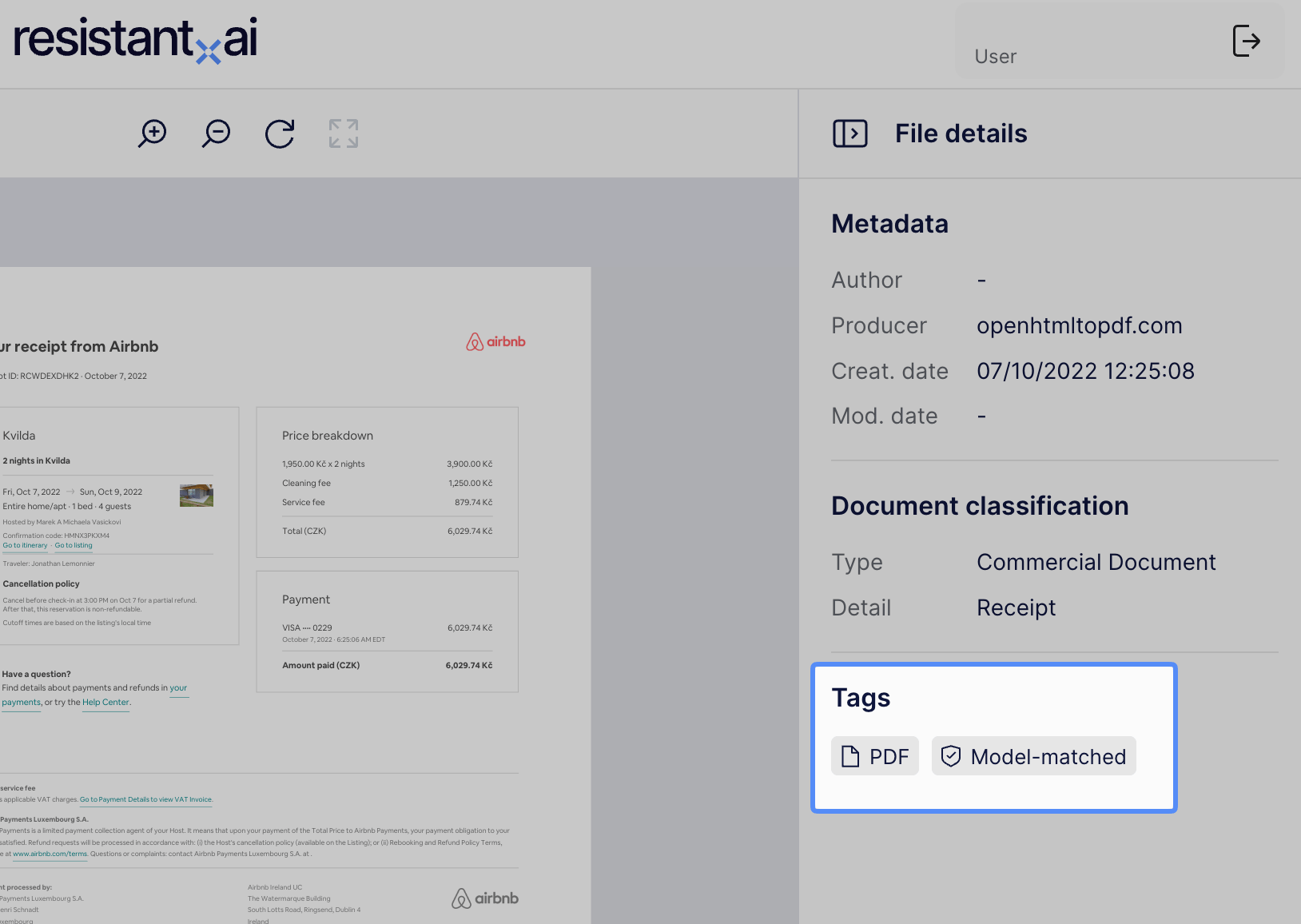
Document tags are also shows in Resistant AI’s UI.
3) Analytics and reporting
- Store
document_tagsalongsidesubmission_id,query_id, timestamps, andscore - Use tags for trend monitoring (e.g., spikes in scans from a channel)
Semantics and rules
Tags are additive
- Tags can appear in combinations
- Absence of a tag does not imply the opposite
- Example: missing origin
DIGITALdoes not automatically meanSCANorigin unless explicitly documented
- Example: missing origin
Tags are designed to be stable
- New tags may be added over time.
- Existing tags should not change meaning without an explicit deprecation process.
Current tag set
File type
PDF- input files is a PDFIMAGE- input file is an image (jpeg/png/tiff, heic, etc.)
Origin / provenance (PDF-focus)
DIGITAL- PDF is digital original (native)SCAN- PDF is scan-based
Origin tags describe the likely provenance of the submitted file (digitally issued vs scanned). They are not a claim of authenticity.
Model coverage and trust
MODEL_MATCHED- a document-specific model (anomaly layer) matched the documentTRUSTED- document matched a known issuer strongly enough, to be marked as trusted
Backwards compatibility
Some historical submissions may not containdocument_tags.
Recommended handling:
- If
document_tagsis missing or empty, treat it as “not available” - Do not attempt to reconstruct tags client-side (use indicators and score instead)
Implementation guidance
Store tags as an array
Keep the original list so you can filter by membership and support future tags without schema changes.Handle unknown tags safely
- Allowlist the tags you actively support
- Ignore or display unknown tags without breaking